WinGo APK File Safety: How to Check Android Packages Before Installing
Understand WinGo APK files, Android package formats, installation risks, permissions and practical ways to examine unfamiliar applications before installing them.
In this article
- What Is a WinGo APK File?
- WinGo APK vs WinGo App: What Is the Difference?
- Why Some WinGo APK Files Are Risky
- How to Check the Publisher of a WinGo APK
- Understanding Android Package Permissions
- How to Review Permissions on Android
- What Is Google Play Protect?
- What Are APK, XAPK and APKS Files?
- Can a WinGo APK Predict the Next Result?
- What to Do If You Installed an Unfamiliar APK
- Frequently Asked Questions
- What does WinGo APK mean?
- Is WinGo APK the same as WinGo App?
- Is every WinGo APK safe?
- Why does Android warn about installing an APK?
- Should a WinGo APK request SMS permission?
- Does an APK file prove that WinGo predictions are accurate?
- Does Wikipura provide an official WinGo APK download?
- Final Thoughts
Searching for WinGo APK can produce several different types of Android applications. Some may display WinGo-style games, while others claim to provide results, number analysis or colour prediction tools.
However, an APK file containing the name WinGo is not automatically an authentic or secure application.
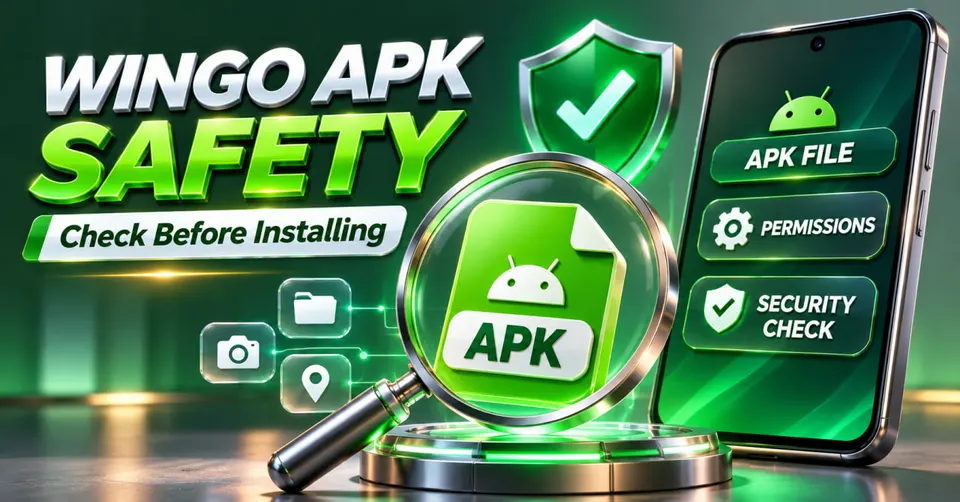
The APK format is a standard Android application package, but its safety depends on the software inside it, the publisher and the way it was distributed.
For users in India, understanding the difference between a genuine Android package and an unfamiliar third-party installation file can help prevent unnecessary security risks.
This guide explains what a WinGo APK is, how Android package files work, which permissions deserve attention and what to do when a downloaded application cannot be trusted.
What Is a WinGo APK File?
APK stands for Android Package Kit.
It is a file format used to distribute and install Android applications.
An APK contains application resources, code and other information needed by Android to recognise and install the software.
When someone searches for WinGo APK, they may be looking for a downloadable version of a WinGo-style game or a related application.
However, WinGo is a name used in different online contexts.
A file carrying this name may be a game client, an information application, an analysis tool or something unrelated.
The filename alone does not establish the identity of its developer.
For a general comparison of WinGo-related products, read WinGo App: Android Features and Common Issues.
WinGo APK vs WinGo App: What Is the Difference?
The words APK and app are related but do not mean exactly the same thing.
An app is the software users interact with after installation.
An APK is one package format used to distribute an Android app.
For example, a user may open a WinGo-style interface directly in Chrome without installing an additional application.
Another service may distribute a standalone Android application.
A third may offer a shortcut or wrapper that displays a website inside an application window.
These approaches can look similar on a phone, but their technical requirements and security implications differ.
| Feature | Browser Interface | Installed APK |
|---|---|---|
| Installation | Usually unnecessary | Required |
| Android app permissions | Browser-managed | App-specific |
| Updates | Website controlled | Depends on distribution |
| Storage use | Browser and cache | Installed app data |
| Publisher verification | Website identity | App publisher and package identity |
Neither format automatically guarantees security.
The publisher, source and permissions remain important.
Why Some WinGo APK Files Are Risky
An unfamiliar APK can contain functionality that is not obvious from its name or promotional description.
A file advertised as a game utility may request access to contacts, messages, notifications or other sensitive information.
Some malicious applications use deceptive interfaces to encourage people to grant permissions.
Others may redirect users to unfamiliar websites or request information unrelated to their stated purpose.
An application promising guaranteed WinGo predictions should also be examined carefully.
A downloadable file does not become trustworthy merely because its promotional page contains screenshots, positive reviews or claims of high accuracy.
How to Check the Publisher of a WinGo APK
Before installing any unfamiliar Android package, identify the actual publisher.
Look for a clearly documented developer name, an identifiable product website and a privacy policy explaining how the application handles information.
Check whether the same application is distributed through an established channel.
Be careful when several unrelated websites use the same application title but different download links.
An unknown Telegram message or file-sharing link is not reliable proof of an application's origin.
A package filename can be changed without changing the underlying software.
Likewise, an application icon can imitate another product.
The goal is to verify the source rather than trust the branding alone.
Understanding Android Package Permissions
Android permissions control access to particular device capabilities.
Depending on the application and Android version, users may encounter requests involving camera access, microphone access, contacts, location, notifications, SMS messages or other functions.
A simple number-chart viewer would not ordinarily need permission to send text messages from the user's mobile connection.
Similarly, an application displaying historical game results should not need unrestricted access to unrelated private information merely to show a chart.
Some permissions have legitimate uses in particular applications, but their purpose should be clearly explained.
How to Review Permissions on Android
On many Android devices, users can inspect installed app permissions through:
Settings > Apps > Select App > Permissions
The exact menu names vary by phone manufacturer and operating-system version.
Review which permissions are allowed and whether they are necessary.
Sensitive permissions deserve particular attention when the software comes from an unfamiliar source.
What Is Google Play Protect?
Google Play Protect is an Android security feature that can scan applications and warn about potentially harmful software.
It may inspect apps installed through different sources, including certain sideloaded packages.
A Play Protect warning should not be dismissed simply because an APK website says the application is safe.
Users should not disable security protections to satisfy installation instructions from an untrusted source.
At the same time, the absence of a warning does not establish that an application is completely safe.
Security screening is one layer of protection, not an unconditional guarantee.
What Are APK, XAPK and APKS Files?
Android users may encounter multiple application package formats.
An APK is a conventional Android application package.
An XAPK commonly refers to a third-party distribution format that may combine an APK with additional resources or expansion files.
An APKS archive can contain multiple APK components associated with Android's split-package distribution system.
These formats are not interchangeable in every installation workflow.
Their existence does not indicate that a particular WinGo application is authentic.
Files requiring an unfamiliar installer or unusual system access should be treated cautiously.
Can a WinGo APK Predict the Next Result?
Some websites advertise Android tools claiming to predict upcoming WinGo numbers or colours.
These claims should be separated from ordinary application functionality.
An app may calculate statistics from historical results, display charts or generate estimated outcomes.
However, producing a forecast is not the same as demonstrating reliable predictive accuracy.
If the underlying game uses independent random outcomes, previous results alone do not provide a dependable way to know the next result.
Even an application using AI terminology cannot prove accuracy without transparent methodology and independent testing.
Read WinGo AI Prediction Explained to understand the distinction between historical analysis and verified predictions.
What to Do If You Installed an Unfamiliar APK
If an installed application behaves unexpectedly, examine its permissions and remove unnecessary access.
Pay attention to unusual outgoing messages, unexpected payment prompts, unfamiliar notifications or repeated security warnings.
If the application appears suspicious, uninstall it using Android's normal app management settings and run an available security scan.
If sensitive account information may have been exposed, change relevant passwords through trusted services and review account activity.
Users who suspect financial fraud or misuse of their phone number in India can seek assistance through appropriate official cybercrime reporting channels.
Avoid assuming that uninstalling an app automatically reverses every action it may have performed.
Frequently Asked Questions
What does WinGo APK mean?
It usually refers to an Android application package associated with a product using the WinGo name. The name alone does not identify a particular developer or official application.
Is WinGo APK the same as WinGo App?
An APK is a distribution package, while an app is the installed software. A WinGo-style service may also operate through a browser without requiring an APK.
Is every WinGo APK safe?
No. Safety depends on the developer, software behaviour, permissions and distribution source.
Why does Android warn about installing an APK?
Android may warn users about unknown installation sources, potentially harmful applications or other security concerns. The exact warning depends on the device and circumstances.
Should a WinGo APK request SMS permission?
Users should ask whether SMS access is necessary for the application's stated functionality. Unexplained messaging permissions are a significant reason for caution.
Does an APK file prove that WinGo predictions are accurate?
No. The existence of an application does not establish the accuracy of any prediction system.
Does Wikipura provide an official WinGo APK download?
No. Wikipura publishes independent informational guides and does not distribute or certify third-party WinGo APK files.
Final Thoughts
Understanding the APK format is more useful than trusting a download simply because it uses the WinGo name.
Android application packages can support legitimate software, but unfamiliar files may also introduce unnecessary privacy or security risks.
Users should examine the publisher, permissions, distribution channel and system security warnings before trusting an application.
The same caution applies to tools advertising WinGo predictions or special features.
A trustworthy application should have a clear identity and a purpose that matches its technical behaviour.
Editorial note: This article provides general Android security information. It does not certify any WinGo APK, developer, download source or prediction service.