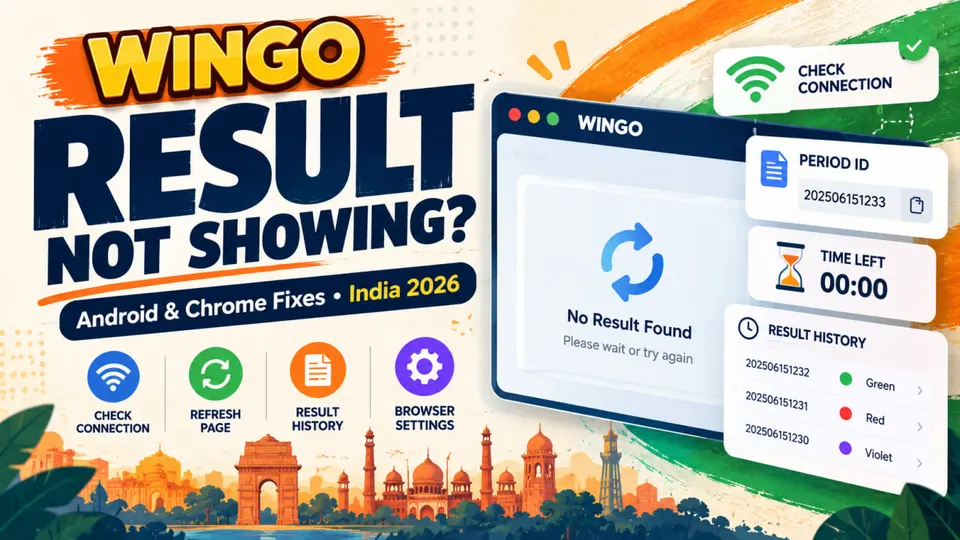
Wingo Result Not Showing on Android? 9 Fixes for India
Wingo result not showing on your phone? Learn how to troubleshoot Android Chrome, frozen countdowns, missing period IDs and result history in India.
In this article
- Wingo Result Not Showing on Android? 9 Fixes for India
- Quick Answer: Why Is My Wingo Result Not Showing?
- 1. Identify the Exact Wingo Result Problem
- 2. Check the Selected Round Duration
- 3. Understand the Difference Between Timer, Period ID and Result
- 4. Refresh the Page Once and Compare the Period ID
- 5. Check Wi-Fi and Mobile Data in India
- 6. Update and Restart Chrome on Android
- 7. Test Incognito Mode Without Sharing Account Details
- 8. Clear Relevant Cache or Cookies Carefully
- 9. What If the Result History Still Does Not Update?
- 10. How to Read a Wingo Result After It Appears
- 11. Warning Signs of a Fake Result Fix or Prediction Tool
- 12. Important Legal Context for Readers in India (2026)
- 13. Wingo Result Not Showing: Quick Checklist
- Frequently Asked Questions
- Why is the Wingo result not showing on my Android phone?
- Why does the Wingo timer reach zero but no result appears?
- How can I refresh Wingo result history in Chrome?
- Can I fix an outdated result by clearing Chrome cache?
- Does Incognito mode make Wingo results more accurate?
- Why does the same Wingo number appear in different tabs?
- Is a missing result proof that a Wingo game is unfair?
- Are Wingo result predictor APKs trustworthy?
- Is Wingo legal in India in 2026?
- Where can I learn to understand Wingo results?
- Final Thoughts
- Sources and Further Reading
Wingo Result Not Showing on Android? 9 Fixes for India
A Wingo result not showing on your Android phone does not always mean that a new round has failed.
Sometimes the countdown has ended but the completed result has not appeared. In other cases, Chrome may be displaying an older version of the page, the wrong round duration may be selected, or the site itself may be unavailable.
This guide explains how to identify the difference, check result history and troubleshoot ordinary browser problems safely in India.
This is an independent educational guide. Wikipura does not operate a Wingo platform, provide live results, verify a particular game's outcome generator or recommend real-money gaming.
Quick Answer: Why Is My Wingo Result Not Showing?
Start by identifying what is actually missing. Is the entire page blank? Is the timer frozen? Does the page load but the latest result row remain unchanged? These problems can have different causes, so repeatedly refreshing without checking the screen may make the situation more confusing.
For ordinary Android browser issues, check the page address, internet connection and selected game mode first. Then try one refresh, update Chrome if needed and compare the period ID against the most recent completed row.
Google also recommends testing Incognito mode and clearing relevant browsing data for persistent loading errors.
Important: No browser fix can guarantee that a game provider will publish a result, and a blocked or prohibited service should not be accessed through unofficial mirrors or circumvention tools.
1. Identify the Exact Wingo Result Problem
Before changing anything, determine which of these situations matches your screen:
- The page will not load at all.
- The game interface appears, but the countdown does not move.
- The timer reaches 00:00, but the result area still says Loading or Pending.
- The same result number appears even after the next round begins.
- Result history is empty or does not show a recent period.
- Two browser tabs show different numbers or period IDs.
These symptoms are not interchangeable. A total page failure often points towards connectivity, browser problems or server availability. A missing recent result may instead be an issue with the site's publishing or display process.
Neither symptom proves that a displayed number has been manipulated.
2. Check the Selected Round Duration
Some WinGo-style interfaces show multiple durations such as one minute, three minutes or five minutes. A different mode may have its own timer and result history.
If you accidentally switch modes, you may think the newest result has disappeared when you are actually viewing another sequence.
Read the selected tab or label carefully. Next, check the period ID associated with that view. Do not compare the current timer in one mode with the completed results from another mode.
For instance, a one-minute display might show a current period labelled A212 while a three-minute view lists a different sequence.
These are fictional examples, not actual Wingo period IDs. The point is to match the mode, period and result before drawing conclusions.
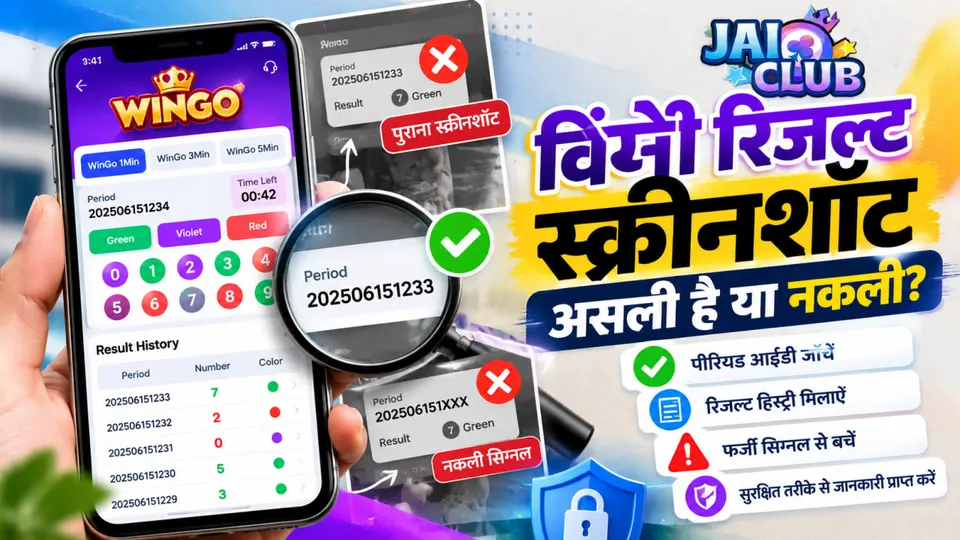
3. Understand the Difference Between Timer, Period ID and Result
A typical WinGo-style screen can include three separate elements:
Countdown: Shows the time remaining according to the page's current display.
Period ID: Identifies the particular round. Its exact format is platform-specific.
Completed result: Shows the outcome published for a finished round, potentially with a number, colour and Big/Small label.
A timer reaching zero does not automatically confirm that a final result has arrived on your phone. The site may still be waiting to update the completed-results area.
Do not interpret a previous row as the latest result simply because the countdown has restarted.
Likewise, the final digits of a period ID are not the winning number. They are part of the round identifier unless a particular game's published rules explicitly state otherwise.
4. Refresh the Page Once and Compare the Period ID
If the page is connected but appears stale, try a normal browser refresh. In Chrome on Android, open the menu and select Refresh or Reload, depending on your version.
After reloading, check these details:
- Is the same round duration still selected?
- Did the timer restart or move?
- Is the period ID different from the last completed round?
- Does result history now show a newly completed row?
- Is the displayed outcome clearly final rather than pending?
If the period ID remains unchanged, that is useful diagnostic information, but it does not establish the cause.
Continuous refreshing every second will not force an unavailable result to appear and can make it harder to keep track of which period you were viewing.
5. Check Wi-Fi and Mobile Data in India
On Indian Android networks, as elsewhere, an unstable connection can prevent a page from loading fully or receiving updated information.
Do a simple test before assuming the game itself is at fault.
Open a separate trusted website in the same browser. If that page also fails to load, check whether Wi-Fi or mobile data is connected.
Look for Airplane mode being enabled, an unstable router or a mobile-network connection problem.
If multiple ordinary websites fail, Google's troubleshooting guidance recommends checking your connection and device settings.
If other websites work but only the Wingo-related page fails, the issue could be with that site's server, access restrictions or the specific page. Do not infer the exact cause without additional evidence.
A website being unavailable in India is not a reason to use an unfamiliar proxy, mirror domain or APK. These can introduce legal and security risks.
6. Update and Restart Chrome on Android
Outdated browser software, an overloaded device or a temporary browser glitch can sometimes cause pages to freeze.
Google's Android help recommends checking for Chrome updates, closing unnecessary tabs and restarting the browser as standard loading-error steps.
Try this simple sequence:
- Open Google Play and check whether Chrome has an available update.
- Close unused browser tabs and demanding background apps.
- Restart Chrome and reopen only the independently verified website.
- Recheck whether the same result-history section is still blank or frozen.
If the browser crashes across unrelated websites, the problem may be broader than the particular game page.
Avoid downloading a special "Wingo repair app" simply because a website claims Chrome is outdated.
7. Test Incognito Mode Without Sharing Account Details
Incognito mode can sometimes help you determine whether existing cookies, extensions or stored website data are contributing to a loading problem.
Google includes this as a diagnostic step for Chrome connection issues.
Open a fresh Incognito tab and test the exact address you have already verified.
Do not treat Incognito as an identity or security guarantee. It also does not bypass server outages, government restrictions or a game's own account requirements.
If the page behaves normally in Incognito but not in a regular tab, stored browsing data may be involved.
That is only a clue; it is not a definite technical diagnosis. Use the next step carefully if the problem persists.
8. Clear Relevant Cache or Cookies Carefully
Chrome stores cached files and cookies to help websites load and remember settings.
Old or corrupted local data can sometimes create formatting or loading problems.
On Android Chrome, open the browser menu and look for Delete browsing data. Choose the appropriate period and data types.
Depending on your version, you may also be able to manage individual website data through site settings.
Remember the trade-off: clearing cookies can sign you out of websites and remove saved site preferences.
Make sure you can safely access your legitimate accounts before deleting broad categories of data.
You should never be asked to share your password or one-time code with a stranger for this process.
For Google's current steps, see Google's Android cache and cookies guide.
9. What If the Result History Still Does Not Update?
If the page loads normally, Chrome is up to date and your connection works, but the completed-results list does not change, consider the possibility that the problem is outside your device.
A page may experience maintenance, backend delays or an unavailable data feed. These are possibilities, not verified claims about any specific Wingo operator.
At this point, write down the information that can identify the problem without revealing personal details:
- Approximate time of the issue, specifying India Standard Time if that is what your clock uses.
- The selected round duration.
- Current and last completed period IDs.
- Whether the timer is moving or stuck.
- Whether the issue occurs in one browser or across multiple trusted browsers.
- The exact error message, if one is shown.
Do not publish credentials, payment information, private account identifiers or screenshots that expose personal details.
If there is a trustworthy, verified support channel for the particular service, you can report a technical display problem.
Avoid unofficial Telegram contacts claiming to fix results for a fee.
10. How to Read a Wingo Result After It Appears
Once a completed result becomes visible, start with the actual result digit and its matching period ID.
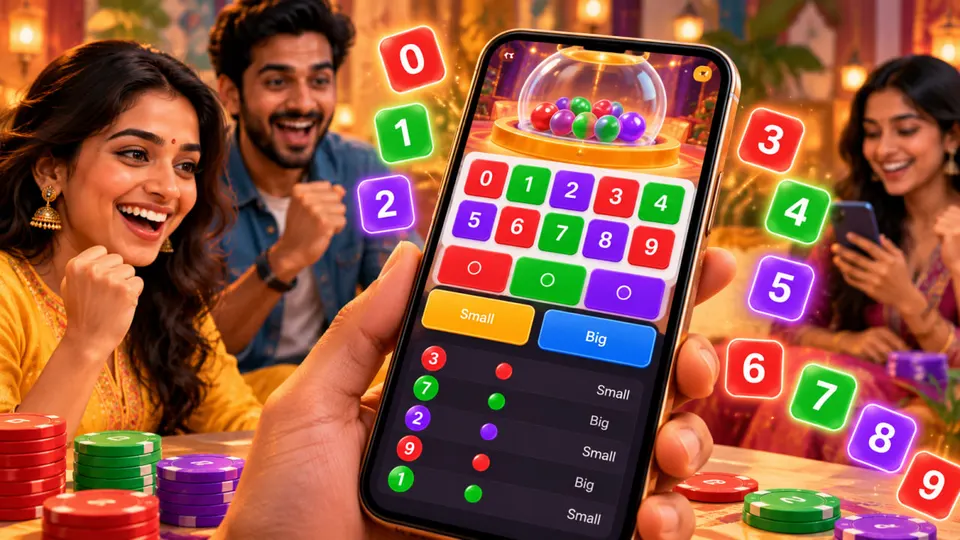
In a commonly used WinGo-style 0–9 format, the number also determines a colour and a Big/Small category. However, different interfaces may use different labels or rules.
For example, a completed result of 2 may be shown as Red and Small, while 7 may be Green and Big.
This is an explanation of a common mapping, not a live result or a prediction.
For the full chart, see Wikipura's Wingo Colour Trading Number Chart 0–9.
For the size classification, read Wingo Big Small Explained.
The number shown in an old history row cannot establish what a future round will produce.
Repeated colours or a long run of Big results do not make the next outcome predictable.
11. Warning Signs of a Fake Result Fix or Prediction Tool
Be suspicious of messages that offer to reveal a hidden Wingo result, unlock a fixed number or repair a frozen history screen for a payment.
A genuine browser refresh or software update does not require an unknown person to access your messages, install remote-control software or receive your login password.
Avoid services claiming:
- Guaranteed next-colour predictions.
- Secret access to outcomes before they are published.
- A paid "result sync" APK needed to display the latest number.
- A requirement to disable Android's safety checks.
- An exclusive alternative website to bypass restrictions in India.
Screenshots, follower counts and fabricated testimonials are not proof of a valid prediction system.
If a downloaded file or website triggers a browser safety warning, do not disregard it simply to view a claimed result.
12. Important Legal Context for Readers in India (2026)
India's Promotion and Regulation of Online Gaming Act, 2025 and the Promotion and Regulation of Online Gaming Rules, 2026 establish the national framework governing online games.
The 2026 Rules came into force on 1 May 2026.
Under this framework, activities that meet the legal definition of an online money game are prohibited. The government distinguishes these from permissible online social games and e-sports.
The government has also described restrictions on the promotion and financial facilitation of online money games.
Whether a particular branded service falls within a prohibited category depends on its actual features and legal classification, not merely its name or the fact that its website opens in a browser.
If a site is unavailable due to lawful restrictions, this article does not recommend ways around them.
Reading a game-result explanation is different from participating in a money game.
Official reference: Press Information Bureau — Promotion and Regulation of Online Gaming Rules, 2026.
13. Wingo Result Not Showing: Quick Checklist
Before assuming the result is missing permanently, check the following:
- Confirm the exact website address from a trustworthy source.
- Identify whether the issue is a blank page, frozen timer or stale result row.
- Match the selected mode and period ID.
- Refresh once, then look for a completed result rather than a previous round.
- Test your normal internet connection with another trusted website.
- Update Chrome and close unused apps.
- Try Incognito mode as a browser diagnostic.
- Clear relevant browsing data only when necessary and understand the sign-out effects.
- Avoid fake result tools, suspicious APKs and unofficial mirrors.
This checklist is designed to help identify ordinary display problems.
It cannot validate a game's fairness, force servers to publish an outcome or guarantee access to a website.
Frequently Asked Questions
Why is the Wingo result not showing on my Android phone?
Possible causes include an unstable connection, a stale browser page, the wrong round mode or an unavailable website. The exact cause cannot be determined from a missing result alone.
Why does the Wingo timer reach zero but no result appears?
A displayed countdown and a published completed result are separate. The page may take time to update its result area, but the cause should not be assumed without evidence.
How can I refresh Wingo result history in Chrome?
Use Chrome's normal refresh option, then check whether the selected mode, last completed period ID and result row have changed. Repeated reloads do not guarantee a new result.
Can I fix an outdated result by clearing Chrome cache?
Clearing site data may help some website-loading problems, but it will not fix a provider-side outage. It may also remove cookies and sign you out.
Does Incognito mode make Wingo results more accurate?
No. Incognito is a browser diagnostic tool, not a way to alter outcomes, prove fairness or increase accuracy.
Why does the same Wingo number appear in different tabs?
Tabs may be showing cached information, different round durations or the same completed period. Compare the period IDs and modes before assuming anything is wrong.
Is a missing result proof that a Wingo game is unfair?
No. A display problem alone does not prove unfairness or fairness. Independent evidence about outcome generation and record integrity would be needed for that assessment.
Are Wingo result predictor APKs trustworthy?
Do not rely on unsupported claims of guaranteed outcomes. Unknown APK files and requests to disable security protections are warning signs.
Is Wingo legal in India in 2026?
India prohibits online money games as legally defined under its 2025 Act and 2026 Rules. The status of a specific service depends on its actual features, not its branding.
Where can I learn to understand Wingo results?
Read Wikipura's Wingo 0–9 Number Chart, Red, Green and Violet guide and Big Small explanation.
These pages explain result labels rather than offering predictions.
Final Thoughts
When a Wingo result is not showing on Android, the most useful first step is to identify whether the issue involves the browser, connection, selected period or the website itself.
Checking a completed result with the correct period ID is more reliable than relying on a countdown alone.
Use ordinary, safe Chrome troubleshooting and avoid suspicious shortcuts that promise hidden results or guaranteed predictions.
For readers in India, technical accessibility and legality are separate questions.
Wikipura provides independent educational information, not official result feeds, financial advice or endorsements of real-money gaming platforms.